Top Tax Software Platforms for CPA Firms (2026): CCH vs UltraTax vs Lacerte vs Drake
Summary
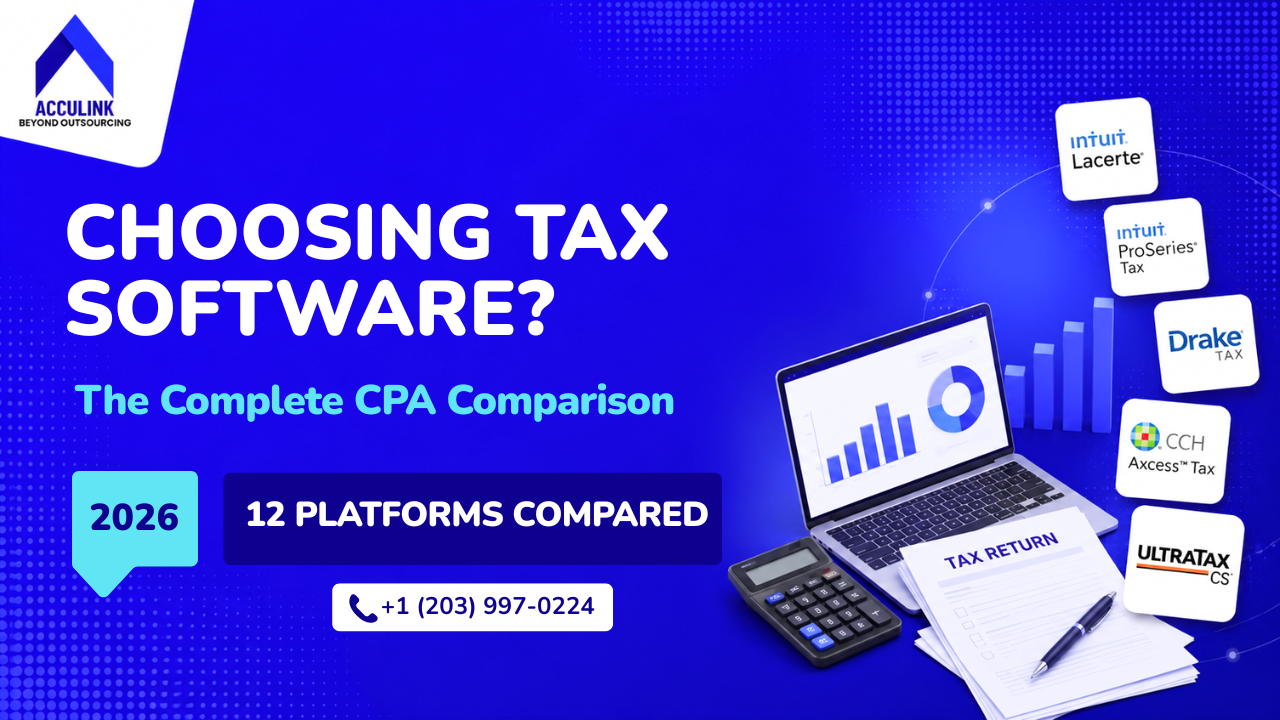
There is no single best tax software for CPA firms, only the best fit for your return mix, firm size, and staffing model. This guide compares the thirteen platforms that matter in 2026, including CCH Axcess, UltraTax, Lacerte and Drake, with real published pricing, who owns each one, the head-to-head matchups firms run most, the best alternatives to every major platform, and the Section 7216 compliance rules that decide which software you can use if you outsource.
Key Takeaways
- Fit beats "best." The right platform is set by return complexity first and firm size second. Complex multi-entity and international work narrows the field to four platforms; everything else comes down to budget, deployment and workflow.
- Half the market publishes prices, half quotes. Drake, TaxAct, ProSeries, Lacerte and TaxSlayer Pro publish theirs. UltraTax CS, the full CCH Axcess platform, ProSystem fx and GoSystem Tax RS are quote-only.
- The market is more consolidated than it looks. CCH Axcess and ProSystem fx are Wolters Kluwer; UltraTax CS and GoSystem are Thomson Reuters; Lacerte, ProConnect and ProSeries are Intuit; Drake and TaxAct share one owner, Taxwell.
- Offshore outsourcing is a software decision. Under IRC Section 7216, a 1040 client's Social Security number cannot go offshore unless the platform can mask it.
There is no single best tax software for CPA firms, only the best fit for your return mix, firm size, and staffing model. A solo preparer filing 300 individual returns and a 50-person firm handling multi-state partnerships and trusts are not shopping in the same market. This guide compares the thirteen platforms that matter in 2026 on price, ownership, capability, and fit, and covers the compliance rules that decide which one you can actually use if you outsource.
The decision comes down to four questions, and the order matters because each one narrows the next.
- How complex are your returns? Multi-entity, multi-state, trust and international work is what separates the four enterprise platforms from everything else. Answer this first, because it eliminates most of the field.
- How big is your firm, and what is your volume? This sets whether you need multi-user workflow, and whether flat unlimited or per-return pricing works out cheaper.
- Cloud or desktop, and at what cost? Deployment shapes remote and offshore access; cost is the tiebreaker between two platforms that both fit.
- Who does the work? If you outsource, especially offshore, Section 7216 and your platform's ability to mask client data decide what is even possible.
Keep those four in view and the rest of this guide falls into place: the shortlist by situation, then the platforms, what they cost and who owns them, how they compare, and what staffing and compliance require.
The Best Tax Software by Situation
The quick answer to those four questions, before the detail:
- Best value for solo and small firms: Drake Tax
- Best cloud-native platform for smaller firms: ProConnect Tax
- Best for complex and multi-state returns: UltraTax CS
- Best full cloud ecosystem for larger firms: CCH Axcess Tax
- Most user-friendly top-tier suite: Lacerte
- Best for multi-office desktop governance: CCH ProSystem fx
- Best for enterprise and corporate tax departments: GoSystem Tax RS
- Best predictable flat-fee bundles: TaxAct Professional
- Best low-cost option for high-volume 1040s: TaxSlayer Pro
- Best practice management plus tax in one system: Canopy
- Best for advisory and tax-planning-led firms: Instead (formerly Corvee)
Every Platform at a Glance
| Platform | Owner | Deployment | Best fit | Starting price |
|---|---|---|---|---|
| CCH Axcess Tax | Wolters Kluwer | Cloud | Mid-large, 15+ staff | Quote (Essentials from $1,164) |
| CCH ProSystem fx | Wolters Kluwer | Desktop / hosted | Large, multi-office | Quote |
| UltraTax CS | Thomson Reuters | Desktop + cloud | Mid-large, complex | Quote |
| GoSystem Tax RS | Thomson Reuters | Cloud | Enterprise, 25+ | Quote |
| Lacerte | Intuit | Desktop | Small-mid, 1-15 | $599 license + per return |
| ProConnect Tax | Intuit | Cloud | Cloud-first, variable volume | Per return + per user |
| ProSeries | Intuit | Desktop | Small, 1040-heavy | From $539 |
| Drake Tax | Taxwell | Desktop + online | Solo-small, 1-5 | $2,695 (or $379.99 pay-per-return) |
| TaxAct Professional | Taxwell | Desktop / cloud | Solo / micro | $2,095 (or $169.99 pay-per-return) |
| TaxSlayer Pro | TaxSlayer LLC | Cloud / desktop | Seasonal / small, 1040 | $1,395 |
| TaxDome | TaxDome | Cloud | Practice management alongside any tax engine | From $700 / user / year (3-yr) |
| Canopy | Canopy Tax | Cloud | Small, all-in-one | $74 to $149 / user / month |
| Instead (formerly Corvee) | Instead | Cloud | Advisory firms | Quote |
Prices observed July 2026 and run on annual cycles that step up later in the season.
The 13 Platforms in Detail
The list is numbered for reference, not ranked. The right choice is the one that fits your firm, not the one highest on the page. It runs in three groups: the enterprise compliance suites, the Intuit family, and the value and cloud platforms.
Enterprise compliance suites
-
CCH Axcess Tax (Wolters Kluwer) is the cloud flagship, built for mid-size and large firms that want the full connected suite.
- Strengths: Genuinely cloud rather than a hosted desktop app; deep multi-entity, multi-state and consolidated returns; document, workflow, practice and engagement tools in one system; tax research wired into preparation.
- Consider: Premium pricing and a real learning curve for preparers coming off a desktop platform.
- Best for: Firms of 15 or more with complex returns that want a single-vendor cloud ecosystem.
- Pricing: Quote-only. The CCH Axcess Tax Essentials small-firm tier publishes real numbers from $1,164 to $5,264.
-
CCH ProSystem fx Tax (Wolters Kluwer) is the established on-premise and hosted option for large, multi-office firms.
- Strengths: Granular permissions, centralized administration and complex approval routing; still actively sold and updated.
- Consider: Dated next to cloud-native tools, and Wolters Kluwer positions CCH Axcess as its cloud path.
- Best for: Large firms with multi-office governance and an existing ProSystem fx workflow.
- Pricing: Quote-only.
-
UltraTax CS (Thomson Reuters) is the speed and form-depth benchmark, part of the CS Professional Suite.
- Strengths: Comprehensive federal, state, local and international forms (5471, 5472, 8865, FBAR); strong batch processing; mature multi-reviewer workflow; fast on complex returns.
- Consider: Desktop-first, so cloud access through Virtual Office CS adds cost, and pricing is opaque.
- Best for: Mid-to-large firms that prioritize processing speed and form depth.
- Pricing: Quote-only.
-
GoSystem Tax RS (Thomson Reuters) is the cloud-native platform for the largest firms and corporate tax departments.
- Strengths: One of the first fully web-based tax platforms; centralized firm-wide administration; strong multi-entity handling.
- Consider: Overkill for most small and mid-size firm workflows.
- Best for: Enterprise environments that need centralized cloud administration.
- Pricing: Quote-only.
The Intuit family
-
Lacerte (Intuit) is the fast, user-friendly professional desktop platform, a workhorse for firms mixing individual and business returns.
- Strengths: Quick data entry, comprehensive form coverage and strong diagnostics.
- Consider: Desktop-only, and the Fast Path plus per-return model adds up for high-volume, multi-state work.
- Best for: Small-to-mid firms that value speed and are already in the Intuit ecosystem.
- Pricing: $599 Fast Path license plus $105 per individual return with one state; higher-volume bundles are quote-only.
-
ProConnect Tax (Intuit) is Intuit's cloud platform and the only Intuit tax product built into the new Intuit Accountant Suite.
- Strengths: True cloud with no local install; pay-per-return flexibility; ranks well for the comparisons firms run now, against UltraTax and against CCH Axcess.
- Consider: Less form depth than UltraTax, and the headline rates are often new-customer promotions with a fixed expiry.
- Best for: Cloud-first firms and anyone whose volume swings year to year.
- Pricing: Published per-return and bundle pricing; get a quote against your actual volume.
-
ProSeries (Intuit) is the mid-market Intuit desktop option, sold in Basic and Professional editions.
- Strengths: Approachable, forms-based, with published pricing and Intuit-stack integration.
- Consider: Lighter than Lacerte, and ProConnect is where Intuit is directing new investment.
- Best for: Small firms with mostly individual returns that want published pricing and Intuit integration.
- Pricing: From $539 per year pay-per-return, or $2,605 for unlimited 1040s; the Advanced tier is quote-only.
Value and cloud platforms
-
Drake Tax (Taxwell) is the value benchmark, offering unlimited returns at a fraction of the enterprise platforms.
- Strengths: Processing speed its users evangelize; built-in document management; US-based support; Drake Tax Online (2025) added a browser version, so the desktop-only criticism no longer holds.
- Consider: Thins out on multi-tier partnerships and international forms, and the interface is functional rather than modern.
- Best for: Solo practitioners and small firms doing high-volume individual and small business work.
- Pricing: Pro unlimited is $2,695 single-user ($3,145 multi-user), or pay-per-return from $379.99.
-
TaxAct Professional (Taxwell) is Drake's sibling under the same owner, aimed at cost-conscious small firms with transparent flat-fee bundles.
- Strengths: Predictable pricing that undercuts most of the market; solid on 1040, 1120, 1120-S and 1065.
- Consider: Not built for trusts, non-profits or international work, and less common in CPA firms, so experienced preparers are harder to find.
- Best for: Solo and micro-firms with straightforward return profiles.
- Pricing: Complete bundle is $2,095, or pay-per-return from $169.99.
-
TaxSlayer Pro (TaxSlayer) is a cloud-enabled, competitively priced platform optimized for individual returns.
- Strengths: Low flat per-return cost; unlimited e-filing; widely used by seasonal preparers and high-volume 1040 shops.
- Consider: Limited business-return capability and a thin integration ecosystem.
- Best for: Solo practitioners and seasonal preparers focused on 1040 work.
- Pricing: Packages run from $1,395 (Classic) to $1,695 (Premium).
-
TaxDome is a practice-management platform that firms run alongside their tax software rather than in place of it, handling the client-facing and workflow side of the season.
- Strengths: Client portal, secure messaging, e-signatures and document requests in one system; AI-assisted document organization and data extraction, via its Juno integration, that feeds returns into the firm's existing tax software; built-in billing and payment collection; and a client experience clients actually use, including a branded mobile app rated 4.9 on the App Store where they upload, sign and pay without creating a login.
- Best for: Firms that want a single system for client intake, document collection, e-signatures and billing that works alongside whichever tax software they already use.
- Pricing: Published. Essentials from $700 per user per year, Pro from $900, Business from $1,100, on a three-year term; annual terms run higher.
-
Canopy (Canopy Tax) is less a tax engine than a practice-management platform now extending into preparation.
- Strengths: Client portal, document management and genuinely strong tax-resolution workflows in one system.
- Consider: Tax preparation is still developing; judge it as practice management with tax attached, not the reverse.
- Best for: Small firms that want one system for practice management and client communication, especially with a resolution practice.
- Pricing: $74 to $149 per user per month, billed annually.
-
Instead (formerly Corvee) is built around treating compliance as the start of an advisory conversation.
- Strengths: Integrated planning and preparation; modern interface; strong multi-year projection and strategy modeling.
- Consider: Newer, so form coverage on niche filings is thinner and fewer preparers know it.
- Best for: Advisory-led firms building a planning practice.
- Pricing: Quote-only and volume-based.
Pricing: What's Published and What's Not
This is the third question, and usually the tiebreaker between two platforms that both fit. Half the market publishes prices and half prices by quote. Drake Tax Pro unlimited runs $2,695 for a single user ($3,145 multi-user), TaxAct's complete bundle is $2,095, ProSeries 1040 Essentials is $2,605, Lacerte is a $599 license plus $105 per individual return, and CCH Axcess Tax Essentials, the small-firm tier, runs $1,164 to $5,264 by return count.
UltraTax CS, the full CCH Axcess platform, ProSystem fx and GoSystem Tax RS are quote-only, priced on users, returns and states, with no public list price. Budget from roughly $2,000 a year for a solo practice into five figures for a large multi-office firm, and compare total cost of ownership rather than the headline license fee. The pricing model matters as much as the number: Drake's flat unlimited license rewards high individual-return volume, while ProConnect's per-return pricing suits seasonal or lower-volume firms but climbs as counts grow.
Who Owns What
Ownership matters before a renewal or a migration, and the market is more consolidated than the branding suggests. CCH Axcess and ProSystem fx are both Wolters Kluwer. UltraTax CS and GoSystem Tax RS are both Thomson Reuters. Lacerte, ProConnect and ProSeries are all Intuit. Drake Tax and TaxAct are both owned by Taxwell, which means Drake, despite the common assumption, has no connection to Thomson Reuters.
The Comparisons Firms Run Most
Our offshore preparers work inside all of these platforms every day, and the pattern is consistent: firms switch upward for complexity far more often than they switch away for cost. On capability, the five platforms firms most often weigh line up like this.
| Platform | Deployment | Multi-state | International forms | Learning curve | Price tier |
|---|---|---|---|---|---|
| CCH Axcess Tax | Cloud | Full | Full | High | $$$ |
| UltraTax CS | Desktop + cloud | Full | Full | High | $$$ |
| Drake Tax | Desktop + online | Full | Limited | Easy | $ |
| Lacerte | Desktop | Full | Moderate | Medium | $$ |
| ProConnect Tax | Cloud | Full | Moderate | Medium | $$ |
The head-to-head questions that come up most:
- CCH Axcess vs UltraTax CS: both handle complexity, so the split is deployment. CCH Axcess is true cloud with the full Wolters Kluwer suite behind it; UltraTax is desktop-first and faster on heavy returns.
- UltraTax CS vs Lacerte: under about 10 staff with moderate complexity, Lacerte usually wins on total cost. Past that, UltraTax earns its price on volume and international forms.
- ProConnect vs UltraTax CS: ProConnect is cloud with pay-per-return economics; UltraTax is desktop-first and faster on complex returns. This is a move to cloud, not a downgrade.
- Lacerte vs Drake: Drake wins on cost and holds up further than its critics claim; Lacerte pulls ahead on depth once returns get genuinely complex.
Alternatives and When to Switch
- CCH Axcess alternatives: the fastest saving is the CCH Axcess Tax Essentials tier, the same platform's small-firm pricing that most firms do not realize exists. For equal depth on a different stack, move to UltraTax CS. To cut cost hard and accept thinner entity coverage, Drake Tax.
- Best UltraTax CS replacement: there is no platform that is UltraTax but cheaper and in the cloud, so decide which you are optimizing for. Drake or ProSeries lower the cost and give up some depth; ProConnect Tax or CCH Axcess move you to the cloud without losing capability.
- Lacerte alternatives: Drake for cost, ProConnect to stay inside Intuit while moving to the cloud, UltraTax for more depth on complex returns.
- Drake alternatives: firms almost always leave Drake upward, for complexity, landing on Lacerte or UltraTax rather than another budget tool.
Switch when the platform blocks growth: it cannot handle the returns you are winning, it will not integrate with your stack, or its licensing makes seasonal capacity uneconomic. Do not switch to close a feature gap a workflow change would fix, and not in a year you are already changing something else. The real cost of switching is retraining and a slower first season, not the license fee.
What We See in Practice
Working inside these platforms across 80+ US CPA firms surfaces a few patterns that rarely make it onto a spec sheet.
Firms overbuy at the top and hold on too long at the bottom. Small practices land on an enterprise platform for a single complex client and pay for capability they never use, while growing firms stay on a budget tool a season past the point it can keep up, because switching feels riskier than it is.
The trigger that actually moves a firm is complexity, not price. A firm rarely leaves Drake because it found something cheaper; it leaves when multi-tier partnerships or international forms start costing more time to work around than a new license costs to buy. Price sets the shortlist, capability makes the decision.
Migration is underestimated in one specific way. The license is the visible cost. The real one is the first filing season on a new platform, when experienced preparers slow down before they speed up. Firms that switch in a quiet quarter and train before January absorb it; firms that switch in February feel it in every return.
For distributed and offshore teams, onboarding speed varies by platform. Preparers pick up Drake and Lacerte quickly because the form-based flow is consistent, while cloud platforms like CCH Axcess and ProConnect remove the remote-access layer entirely, which matters more the more distributed your team becomes.
Compliance: What Your Software Must Support
This is the fourth question, and the one firms answer too late more than any other. Three rules constrain the decision, and one of them decides your outsourcing model.
E-filing. A firm expecting to file 11 or more covered returns a year must e-file, so the software has to transmit through the IRS Modernized e-File system for every form family you handle.
Data security. Tax preparation firms are financial institutions under the FTC Safeguards Rule, which requires multi-factor authentication, encryption, access controls, and the written information security plan the IRS templates in Publication 5708. Your platform has to be able to evidence it.
Section 7216. Disclosing taxpayer data to a preparer outside the United States requires the client's consent first, even for view-only access on a US server, under IRC Section 7216. For 1040-series returns, a Social Security number cannot be disclosed offshore at all unless it is masked or sent through an adequate data protection safeguard, under Section 301.7216-3. So the decisive software question for any firm that outsources is whether the platform can mask or redact SSNs and support role-based views, letting offshore staff work without ever seeing them.
In practice, firms that outsource cleanly settle three things before the season starts: they confirm the platform can mask SSNs or restrict them by role, they collect the Section 7216 consents in the correct form up front, and they name the offshore arrangement in their written security plan. None of it is difficult, but all of it has to happen before a return moves, not after.
Where Software Meets Staffing
Choosing the platform solves half of tax season. The other half is having trained capacity to use it well in the weeks volume peaks. A preparer who already knows your software is learning your firm, not the tool, and the compliance work, the consents, the masking, the security plan, has to be in place before the season rather than during it. If you are weighing providers, our rundown of the top offshore staffing companies for accounting firms is a useful place to start.
Acculink CPA's offshore tax preparers work daily on CCH Axcess, UltraTax CS, ProSystem fx, Lacerte, Drake, ProConnect and ProSeries across 80+ US CPA firms, inside your environment and under your controls. For how the engagement runs end to end, see our guide to tax preparation outsourcing, or read about outsourced tax preparation as a service.
Frequently Asked Questions
Is Drake Software owned by Thomson Reuters?
No. Drake Software is owned by Taxwell, which also owns TaxAct. It has no connection to Thomson Reuters, which owns UltraTax CS and GoSystem Tax RS.
How much does tax software cost for a CPA firm?
Drake Tax Pro unlimited is $2,695 for a single user, TaxAct's complete bundle is $2,095, ProSeries 1040 Essentials is $2,605, and CCH Axcess Tax Essentials runs $1,164 to $5,264. UltraTax CS, ProSystem fx, GoSystem Tax RS and the full CCH Axcess platform are quote-only. Budget from about $2,000 a year for a solo firm into five figures for a large one. Prices observed July 2026.
Why is UltraTax CS pricing not published?
Thomson Reuters prices UltraTax CS by quote, based on users, returns and states, so no public list price exists. Public dollar figures are usually aggregator estimates or third-party hosting fees rather than the software license cost.
What is the best UltraTax CS replacement?
For cost, Drake Tax or ProSeries. To move to the cloud, ProConnect Tax or CCH Axcess. For the nearest match on form depth, CCH Axcess.
Can offshore tax preparers use any tax software?
Yes, but Section 7216 governs how. Disclosure to a preparer outside the United States needs the client's consent first, and for 1040 returns the Social Security number must be masked or sent through an adequate data safeguard. A platform's ability to mask SSNs and set role-based views is the deciding factor.
Which tax software do large CPA firms use?
Most large firms run CCH Axcess Tax, UltraTax CS, GoSystem Tax RS or ProSystem fx. The choice comes down to cloud preference and existing stack, since all four handle complexity.
Is cloud or desktop tax software better for CPA firms?
Cloud platforms like CCH Axcess, GoSystem and ProConnect are easier for remote and offshore collaboration, while desktop platforms like UltraTax, Lacerte and Drake are often faster on complex returns. Desktop works for offshore teams over a secure connection; cloud removes that layer.
The Bottom Line
Decide in the right order: return complexity first, firm size and budget next, brand loyalty never. For genuinely complex work the real choice is among four platforms; for everything else, match the platform to your actual return volume rather than its reputation. And if offshore capacity is part of your plan, choose the software and the staffing together, because Section 7216 and SSN masking decide what your offshore team can touch. Acculink CPA already works with 80+ US CPA firms as their dedicated offshore team, and you can book a free consultation to scope it before the season starts.
Tags:
About the Author

Related Posts
Top 10 Offshore Staffing Companies for Accounting Firms (2026)
Hiring an offshore team is one of the highest-leverage moves a short-staffed CPA firm can make, but the partne…
Top Outsourced Accounting Firms for CPA Practices (2026)
Choosing an outsourced accounting partner is a high-stakes call because the team touches your clients' data. T…
Tax Preparation Outsourcing for CPA Firms: How It Works, What It Costs, and Where to Start (2026)
Tax preparation outsourcing lets a CPA firm hand routine return preparation to an external team, usually offsh…