Accounting Automation: 10 Tasks CPA Firms Should Automate in 2026

Summary
The automation journey is not a destination but a continuous evolution. New tools emerge monthly, AI capabilities improve quarterly, and platform integrations expand constantly. CPA firms that build a culture of continuous improvement, always looking for the next process to automate, the next manual
The automation journey is not a destination but a continuous evolution. New tools emerge monthly, AI capabilities improve quarterly, and platform integrations expand constantly. CPA firms that build a culture of continuous improvement, always looking for the next process to automate, the next manual step to eliminate, the next human-machine handoff to optimise, will maintain their competitive edge indefinitely.
The relationship between automation and offshore staffing is not competitive but symbiotic. Automation makes offshore teams more productive because they spend less time on data entry and more time on judgment-intensive work. Offshore teams make automation more effective because they handle the exceptions and quality review that automation cannot manage alone. Together, they create an operating model that is dramatically more efficient than either approach in isolation.
For CPA firm owners evaluating where to start, the answer is simple: start with what hurts most. If your bookkeeping team is drowning in bank reconciliation, automate that first. If tax season data entry is the bottleneck, deploy document extraction tools. If missed deadlines keep you up at night, implement deadline management automation. Then layer in offshore support through Acculink CPA to handle the exceptions, review the output, and ensure quality at every step. Within 6 to 12 months, you will have a fundamentally different operating model that produces better results with less effort and lower cost.
The firms that embrace the automation plus offshore model in 2026 will look back in three years. They will wonder how they ever operated any other way. The efficiency gains, cost savings, quality improvements, and partner satisfaction improvements are too compelling to ignore. The only risk is waiting too long and watching your competitors build an advantage while you deliberate. Start small, measure results, scale what works, and keep improving. That is the formula for success in modern accounting operations.
Getting Started with Automation: A Practical Roadmap
Phase 1: Quick Wins (Month 1 to 2)
Start with automations that are built into your existing platforms at no additional cost. Enable AI-powered bank feed categorisation in QuickBooks Online or Xero. Set up recurring journal entries for standard month-end accruals. Configure automatic invoice reminders for accounts receivable clients. Activate deadline notifications in your practice management platform. These quick wins require no new software purchases and deliver immediate time savings.
Phase 2: Process Automation (Months 3 to 6)
Add dedicated automation tools for your highest-volume processes. Implement a document processing tool like Dext or Hubdoc for invoice and receipt capture. Set up an AP automation workflow using Bill.com. Configure sales tax automation through Avalara or TaxJar for clients with multi-state obligations. Deploy a tax document extraction tool like GruntWorx for tax season preparation. Each tool reduces manual effort by 50 to 80 per cent for the specific process it addresses.
Phase 3: Integrated Automation (Months 6 to 12)
Connect your automation tools into integrated workflows. Bank feeds flow automatically into the accounting platform, and AI categorises transactions. Your offshore bookkeeper reviews exceptions, and month-end reports are generated automatically. Client documents flow through the portal into your document management system, get extracted by AI, and populate the tax software. Your offshore preparer completes the return. Each step triggers the next automatically, with human intervention only where judgment is required.
The ROI of Accounting Automation
Quantifying automation ROI helps justify the investment. Consider a firm with 100 bookkeeping clients. Manual bank reconciliation takes an average of 2 hours per client per month, totalling 200 hours monthly. With AI-powered reconciliation and offshore review, the same work takes 0.5 hours of offshore time per client plus 0.25 hours of domestic review, totalling 75 hours monthly at a blended cost that is far lower per hour. The firm saves 125 hours of domestic staff time monthly, worth approximately 6,000 to 10,000 dollars per month in salary cost alone.
For tax preparation, a firm processing 1,000 individual returns can reduce data entry time by 60 to 80 per cent using AI document extraction. At an average of 30 minutes of data entry saved per return, that is 500 to 667 hours saved during tax season. Redirected to offshore preparer review and quality control, this time savings translates into 30 per cent or more returns cleared per season with the same or smaller domestic team.
The compounding effect is significant. As your firm grows, automation and offshore staffing scale linearly while domestic overhead grows more slowly. A firm that processes 500 clients today can grow to 1,000 clients with the same domestic headcount by layering automation and offshore capacity. This scalability is the strategic advantage that forward-thinking firms are building now.
What Automation Cannot Do: The Human Element
For all its power, automation has clear limitations that reinforce the need for skilled human professionals. Automation cannot exercise professional judgment about tax positions, engagement risk, or client-specific circumstances. It cannot manage client relationships, conduct advisory conversations, or provide the empathetic communication that complex financial situations require. It cannot interpret ambiguous regulations, navigate multi-jurisdictional compliance nuances, or make ethical decisions about reporting.
Automation also cannot handle exceptions effectively. When a bank transaction does not match any historical pattern, when a document is handwritten or unusually formatted, or when a client situation does not fit standard categories. Then human intervention is required. This is exactly where your offshore professionals from Acculink CPA add value. They bridge the gap between what automation handles perfectly and what only human judgment can resolve. The cost makes the overall model economically superior to any alternative.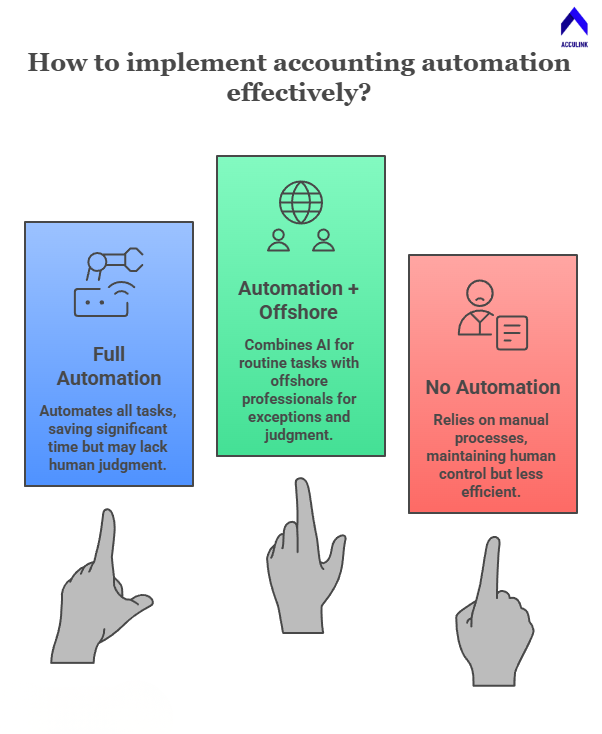
The firms that achieve the highest performance understand this division of labour intuitively. They invest in automation to eliminate the routine. They invest in offshore staffing to handle the volume. And they invest in their domestic team and partners to provide the judgment, relationships, and strategic thinking that define the value of a CPA firm. This three-layer model is not just efficient. It is the future of how CPA firms will operate. The firms that build it now will have an insurmountable advantage over those that delay.
Key Takeaways
-
Accounting automation eliminates repetitive, manual tasks — saving 20–40% of staff time on routine work and freeing professionals for higher-value activities.
-
This guide covers 10 specific tasks CPA firms should automate: bank reconciliation, invoice processing, expense categorisation, payroll, sales tax filing, client onboarding, deadline management, report generation, document collection, and data entry.
-
Automation does not eliminate the need for skilled professionals — it changes what they do. Instead of manual data entry, your team focuses on exception handling, quality review, client communication, and advisory.
-
The optimal model is automation + offshore. AI and software handle routine processing, while offshore professionals from Acculink CPA manage exceptions, quality control, and the human judgment that automation cannot provide.
Every hour your team spends on manual data entry, repetitive reconciliation, or routine report formatting is an hour they’re not spending on client advisory, complex tax planning, or business development. In a profession facing a severe talent shortage, wasting skilled professionals’ time on automatable tasks is not just inefficient — it’s a strategic failure.
Accounting automation in 2026 is not about replacing people. It’s about redirecting their effort. When a bank reconciliation tool automatically matches 90% of transactions, your bookkeeper focuses on the 10% that require judgment rather than manually matching every line. When an AI extracts data from a W-2 in seconds, your tax preparer focuses on tax planning rather than data entry.
This guide identifies the 10 highest-impact automation opportunities for CPA firms, the tools that enable them, and — critically — how automation works alongside offshore staffing from Acculink CPA to create the most efficient operating model in the profession.
What Is Accounting Automation?
Accounting automation uses software, AI, and rules-based systems to perform repetitive accounting tasks without manual intervention. It ranges from simple automation (like recurring journal entries) to AI-powered processing (like machine learning-based transaction categorisation). The goal is not to eliminate human involvement but to handle the routine so humans can focus on the exceptional.
Task 1: Bank Reconciliation
Bank reconciliation is the highest-volume repetitive task in most bookkeeping practices. Cloud platforms like QuickBooks Online and Xero now automatically import bank transactions and use AI to suggest matches and categories. For firms managing multiple clients, this automation reduces reconciliation time by 50–70%.
Your offshore bookkeepers from Acculink review the AI suggestions, correct mismatches, investigate unreconciled items, and flag unusual transactions for partner review. The automation handles the volume; the human handles the judgment.
Task 2: Invoice Processing
AP automation tools (Bill.com, DEXT, Hubdoc) capture invoices via email forwarding or scanning, extract vendor, amount, and due date information using OCR and AI. They match invoices to purchase orders and queue them for approval. This eliminates manual invoice entry and reduces processing time from minutes per invoice to seconds.
Task 3: Expense Categorisation
AI-powered categorisation in QuickBooks, Xero, and dedicated tools like Botkeeper learns from historical patterns to automatically categorise bank transactions. Over time, accuracy improves as the AI learns your chart of accounts and vendor patterns. Offshore bookkeepers review the categorisation, handle multi-category transactions, and ensure consistency across clients.
Task 4: Payroll Processing
Payroll platforms (Gusto, ADP Run, Paychex Flex) automate time tracking, tax calculations, direct deposits, tax filings, and year-end W-2/1099 generation. For CPA firms offering payroll services, automation reduces per-client processing time from hours to minutes. Offshore payroll experts from Acculink handle setup, configuration, and exception processing.
Task 5: Sales Tax Filing
Sales tax automation platforms (Avalara, TaxJar, Vertex) calculate rates based on product category and jurisdiction. They track nexus obligations, prepare returns, and file automatically. For firms with e-commerce or multi-state clients, sales tax automation eliminates one of the most tedious and error-prone compliance tasks. Offshore staff manage setup, jurisdiction research, and reconciliation of automated filings.
Task 6: Client Onboarding Workflows
Practice management platforms automate onboarding workflows. They trigger engagement letter sends, create task checklists, assign team members, schedule follow-up reminders, and track document collection status. This ensures every client receives a consistent onboarding experience. Offshore staff monitor the workflow, chase outstanding documents, and complete operational setup tasks.
Task 7: Deadline Management
Tax deadlines, filing extensions, quarterly estimated payments, and compliance due dates can be tracked automatically through practice management platforms. Automated reminders, escalation workflows, and calendar integrations ensure nothing falls through the cracks. Your offshore team monitors the deadline dashboard and prepares deliverables ahead of schedule.
Task 8: Report Generation
Monthly financial reports, KPI dashboards, and management packages can be generated automatically from cloud accounting data using advisory tools (Fathom, Reach Reporting, Jirav). The data refresh is automatic; the offshore analyst adds commentary, formats the presentation, and prepares it for partner review and client delivery.
Task 9: Document Collection
Client portals with automated request lists, reminder sequences, and status tracking streamline document collection. That process traditionally consumed weeks of email back-and-forth. Your offshore team monitors the portal, sends targeted follow-ups for specific missing items, and organises received documents into your workflow.
Task 10: Data Entry
AI-powered data extraction tools (GruntWorx, Dext, SurePrep) scan source documents and populate tax software or accounting platforms automatically. For high-volume tax preparation, this can reduce data entry time by 60–80%. Offshore tax preparers from Acculink verify the extracted data, correct errors, and complete the return preparation that the AI cannot handle.
Automation + Offshore: The Hybrid Model
Here’s the framework that produces the best results: automation handles the first 60–80% of every routine task — the data extraction, the transaction matching, the standard categorisation, the report generation. Offshore professionals from Acculink CPA handle the next 15–30% — the exceptions, the quality review, the judgment calls, the client-specific customisation. Partners handle the final 5–10% — the strategic decisions, client communication, and sign-off.
This three-layer model (automation + offshore + partner) is the most efficient operating model in accounting. It minimises cost per engagement, maximises quality, and ensures every professional in the chain is working at the top of their capability. Automation handles what machines do best. Offshore professionals handle what skilled humans do at scale. Partners handle what only experienced advisors can do.
Firms implementing this model report 30–50% reductions in total engagement cost, 40–60% faster turnaround times, reduced error rates (because AI extraction plus human review catches more errors than either alone). They also report significantly higher partner satisfaction because partners spend less time on routine work.
Frequently Asked Questions
Will automation replace accountants?
No. Automation replaces tasks, not people. It eliminates manual data entry, routine categorisation, and repetitive processing. Professionals focus on exception handling, judgment calls, client advisory, and quality review.
Which accounting tasks should I automate first?
Start with bank reconciliation and expense categorisation — these are the highest-volume, most repetitive tasks with the best automation tools available. Then expand to invoice processing, payroll, and report generation.
How does automation work with offshore teams?
Automation handles the routine processing; offshore professionals review the output, manage exceptions, and ensure quality. This hybrid model is more efficient than either automation or offshore alone.
How much does accounting automation cost?
Most automation is built into existing platform subscriptions (QuickBooks AI, Xero automation rules). Dedicated tools like Bill.com, Dext, and Avalara range from $15–$200/month per client. The ROI typically exceeds 5x within the first year.
References
QuickBooks Online — https://quickbooks.intuit.com/
Avalara — https://www.avalara.com/
AICPA — https://www.aicpa.org/
About Acculink CPA
Acculink CPA is a premier offshore staffing and outsourcing company purpose-built for CPA firms, accounting firms, and tax firms in the United States, Canada, and the UAE. With a team of 300+ qualified professionals — including CPAs, Chartered Accountants, Enrolled Agents, and Big 4-trained staff — Acculink provides dedicated offshore accountants, bookkeepers, tax preparers, auditors, virtual CFOs, and virtual assistants at $8–$35/hr, delivering up to 75% cost savings compared to domestic hiring. The company is ISO 27001 certified, SOC 2 Type II aligned, IRS §7216 compliant, and GDPR compliant, with zero security breaches in 5+ years of operations. Acculink offers a 40-hour free trial with no setup fees, no recruitment charges, and no long-term contracts. Over 80 CPA firms across the United States trust Acculink to deliver quality, security, and scalability.
Website: Acculink CPA | Schedule a Call: book a 45-minute call | Email: Info@acculinkcpa.com | Phone: +1 (203) 997-0224
Tags:
About the Author

Related Posts

Hire Offshore Bookkeepers for CPA & Accounting Firms – Blueprint for Outsourced Bookkeeping
How to hire an offshore bookkeeper for your CPA firm — what they do, how vetting and onboarding work, cost (up…
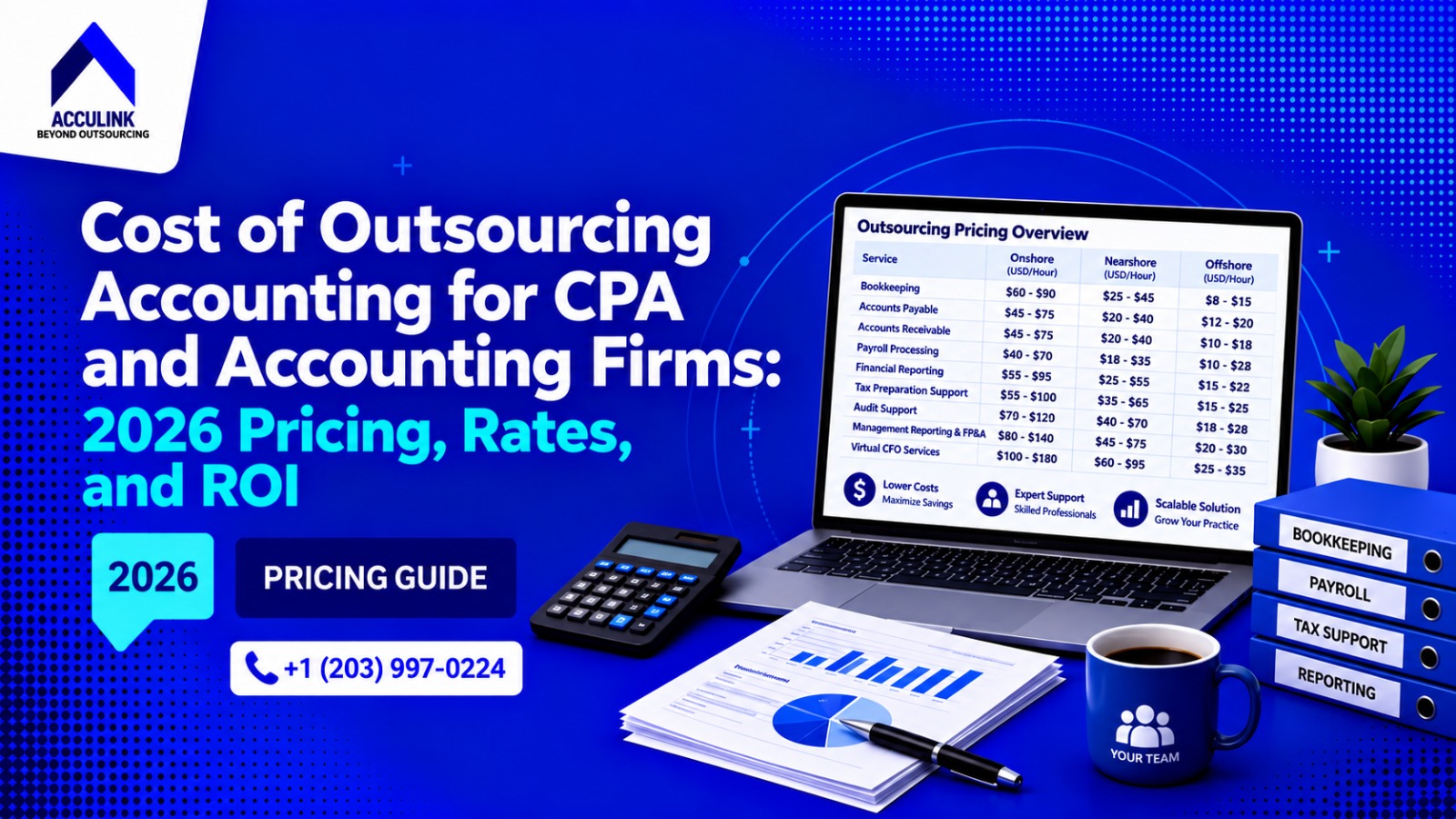
Cost of Outsourcing Accounting for CPA and Accounting Firms: 2026 Pricing, Rates, and ROI
The cost to outsource accounting typically ranges from $8 to $35 per hour, depending on the service, experienc…
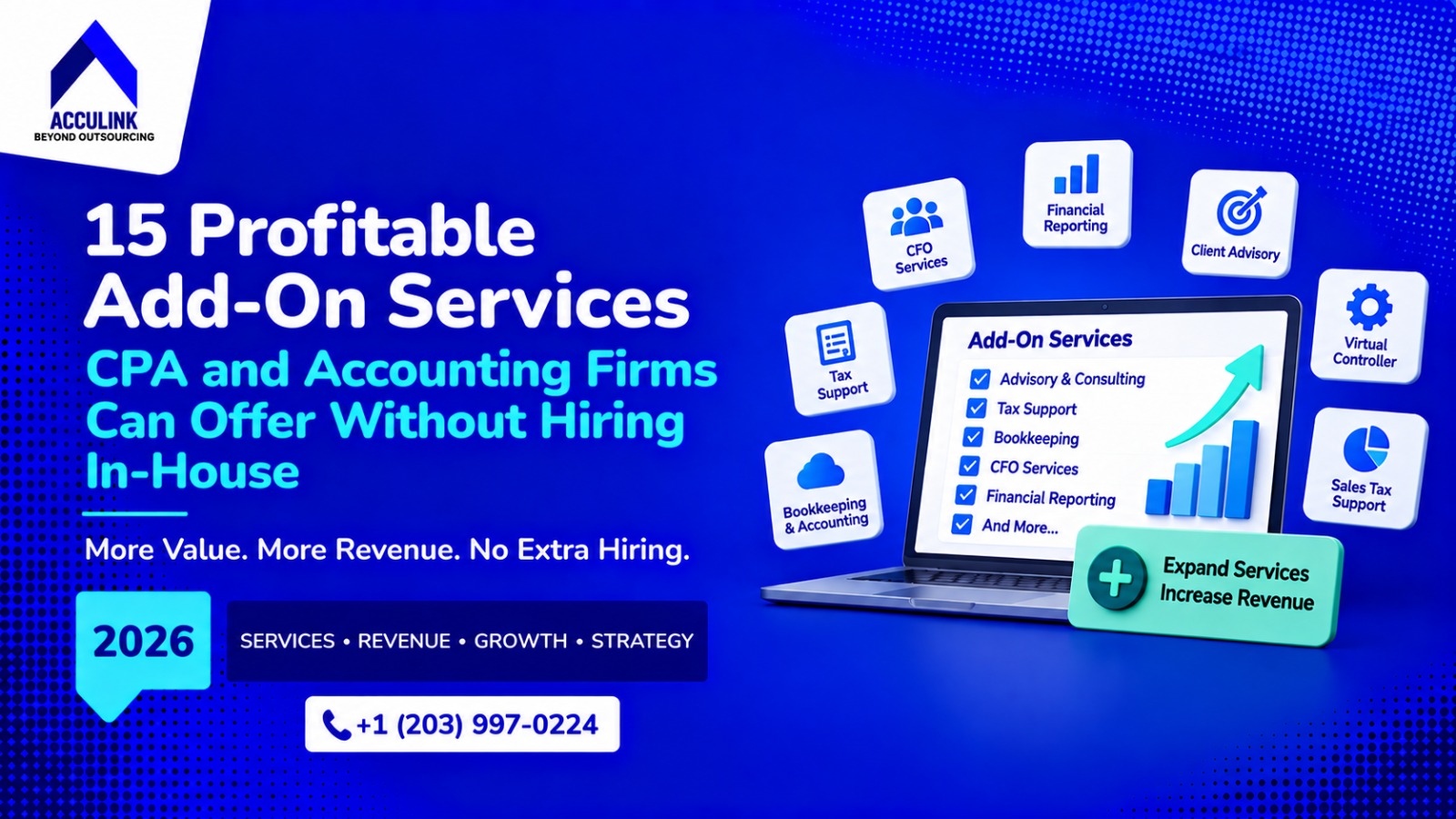
15 Profitable Add-On Services CPA and Accounting Firms Can Offer Without Hiring In-House
CPA and accounting firms do not need to build every new service with another in-house hire. This guide compare…